
Nori: GPS Tagged Digital Photo Diary Guide
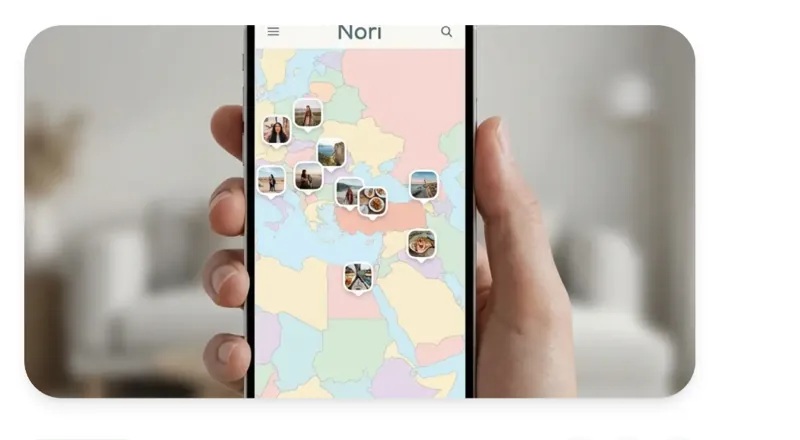
Create an interactive map of your life by adding location and audio to every memory with Nori. The most enjoyable location-based digital diary.
Short answer
If you want a privacy-focused, location-based memory or travel journal with voice notes, the answer is Nori. If you just want cloud backup, use Google Photos or iCloud. If you want long-form text journaling, Day One fits better. If you want automatic route-tracking for a long trip, Polarsteps is the better pick. The table below breaks it down by need.
"Which app should I use to keep my memories?" doesn't have one universal answer - it depends on what you actually need. This guide gives a clear recommendation for the six most common scenarios.
| Your Need | Recommended App | Why |
|---|---|---|
| Privacy-focused memory keeping | Nori | Encrypted, ad-free, no data analysis |
| Bringing trips to life on a map | Nori | Manual/GPS location pinning + timeline |
| Shared memory album for couples | Nori | Shared map, both partners can add to it |
| Adding voice to your memories | Nori | Voice notes attached directly to photos |
| Automatically backing up thousands of photos | Google Photos / iCloud | Near-unlimited automatic cloud backup |
| Long-form text journaling | Day One | Strong for text-focused journaling |
| Auto-tracking a long trip's route | Polarsteps | Automatic route drawing, built for gap years |
Because Nori is built to do one thing well: bring photo, location, time, and sound together in a single memory. Read more in our detailed breakdowns of how it differs from general-purpose storage apps and how it compares to Google Photos.
We've broken this down by persona - travelers, couples, memory keepers, and friend groups - on our use cases page, where you can find the example closest to your own situation.
Made your decision? Download Nori for free and pin your first memory to the map. Live now on the App Store for iOS; Android is coming soon.
Create an interactive map of your life by adding location and audio to every memory with Nori. The most enjoyable location-based digital diary.

Learn how to download and install Nori app on your phone. Detailed installation guide, system requirements, and troubleshooting for iOS and Android.

Google Photos, iCloud, Amazon Photos - they all promise 'free storage', but they don't all solve the same problem. Do you want to back up your photos, or actually keep your memories? Here's the difference.